
HD Video Player All Formats
ASD Dev Video Player for All FormatVideo Players & Editors
4.35.34K Reviews
- Version
- v12.1.473
- Installs
- 100.00M
- Age Rating
- Everyone
Screenshots
Our Review of HD Video Player All Formats
 Analysis by Appyee
I find a video player most useful when it removes small hassles from watching files already on my phone: a clip in an unfamiliar format, a subtitle that needs adjusting, or a folder full of recordings I do not want to sort through every time. HD Video Player All Formats is aimed at that practical kind of use. It is a free Android video player from ASD Dev Video Player for All Format, and its broad playback focus makes it worth considering if your videos come from different sources rather than one streaming service.
Getting past the first playback snags
When a video does not open, it is tempting to blame the player straight away. I would first check that the file is actually available on the device and that it has finished copying or downloading. A partial file can look like a format problem even when the player is not the cause. If one clip fails, try another file before changing settings; that quick comparison helps distinguish a damaged or incomplete video from a wider playback issue.
The app’s broad format support is useful for a mixed collection, but “all formats” should not be read as a guarantee that every file will play perfectly. A video can depend on details beyond its filename, including how its audio and video tracks were encoded. If a particular file refuses to play or its sound behaves oddly, testing a different file is a sensible first step. I would keep the original untouched rather than converting or renaming it immediately, since those changes can make it harder to identify what went wrong.
Setup is generally most comfortable when I know where my videos are stored. If a clip is missing from the player’s view, I check its folder in the phone’s file manager and confirm that it is present there. I also avoid moving a video while I am trying to play it. These simple checks matter more than repeatedly tapping the same entry: they can reveal whether the issue is file location, availability, or playback itself.
Simple checks before changing settings
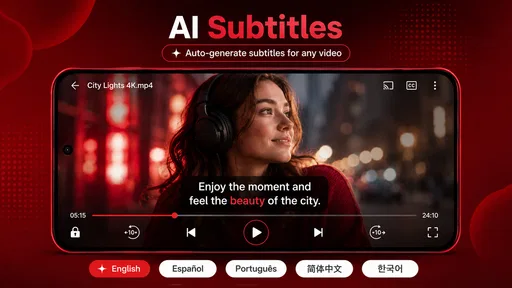
For a new video, I start with a short test: open it, check that the picture and sound begin together, and try a brief seek forward and back. This catches common frustrations before I settle in to watch. If subtitles matter, I check them near the beginning, where timing or readability problems are easiest to notice. When a subtitle is out of step, adjusting playback controls may help, but a subtitle file that is incomplete or mismatched to the video can remain troublesome.
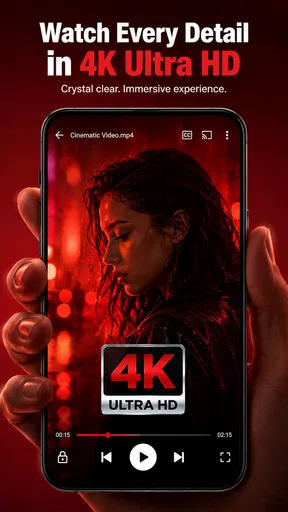
The app is described as an HD player, and its store summary also points to 4K playback. In practice, the label does not make every device equally suited to every high-resolution file. A large or demanding video can be less smooth on a phone that struggles with it, so I would test a short section before relying on it for a full film. If playback stutters, I would close other demanding tasks, reopen the video, and compare with a smaller or lower-resolution copy when one is available.
Version 12.1.429 is the current release, and the app runs on Android 6.0 or later. That makes it relevant to a range of Android phones, but the experience can still vary with a device’s hardware and software. The practical takeaway is to judge performance on the phone you plan to use, rather than assuming that a format label or version number guarantees the same result for everyone.
A more dependable way to manage a watch session
One useful habit is to make a short playlist for a specific occasion instead of searching through the whole library while you are ready to watch. For example, I might group a few saved clips for a commute or collect family recordings for a visit. That reduces browsing and makes the player’s organization tools more useful. Folder view is especially handy when videos are already arranged by project, trip, or sender; it lets me keep that existing structure rather than rebuilding it inside another app.
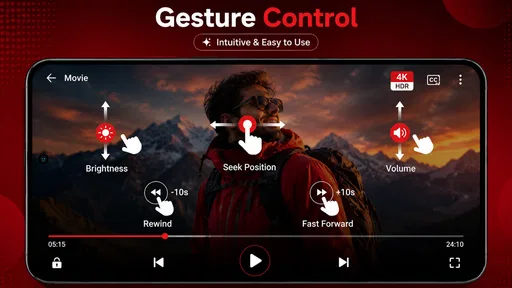
Playback speed and swipe controls can also help with more than entertainment. I might slow down a tutorial to follow a quick demonstration, then return to normal speed for the rest. For a long recording, changing speed can make it easier to review the relevant part without editing the file itself. I would make small adjustments first, because a large change in speed can make speech harder to follow even if it saves time.
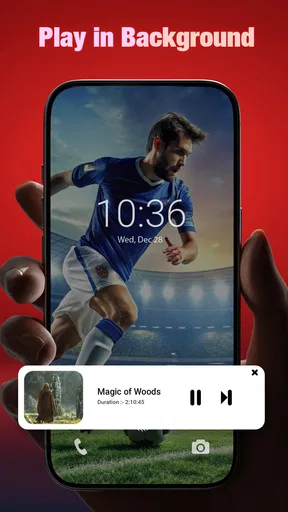
Background playback is convenient when the audio is what matters, such as listening to a recorded talk while replying to a message. It is less useful when the video depends on visual detail, and multitasking can make it easy to lose your place. Before switching away, I make sure the playback is at the point I want and that the phone’s audio is not competing with another app. That turns a feature that could feel fiddly into a deliberate, practical workflow.
When playback trouble is not the player
If a video plays poorly only in one location, I consider whether the file itself is the issue before changing the app. A damaged transfer, an unfinished download, or a subtitle that belongs to a different cut can all create symptoms that look like player faults. I compare with another known-good clip and, if possible, reopen the problem file after confirming it is fully stored on the device. This is a more useful test than reinstalling immediately, especially when the rest of the library works normally.
It also helps to separate local playback from streaming expectations. This is a file-focused player, not a replacement for a subscription service’s catalog or its account-based viewing features. If I want recommendations, cloud syncing, or a curated library, I would use a streaming app for that job. If I want to open videos I already have, switch among folders, or play a variety of files without first converting each one, this app is closer to the tool I need.
People often ask whether a separate converter is necessary. I would not start by converting everything: first test the file in the player and check that it is complete. Conversion can take time and may reduce quality, so I reserve it for a file that remains incompatible across sensible playback attempts. Likewise, if a video looks soft, the player cannot add detail that is not present in the source. A better copy, when available, is the real fix.
Where this player fits among alternatives
Compared with a phone’s built-in gallery player, a dedicated video app can be more convenient when a collection spans multiple folders or formats. The built-in option may be enough for occasional short clips and has the advantage of being familiar. I would choose this player when I want playback controls and a more deliberate way to browse local media; I would not install another app just to watch a single clip that already opens smoothly in the gallery.
It also occupies a different space from streaming platforms. Those services are better for discovering and watching licensed catalog content, while a local player is useful for personal recordings, downloaded files, and videos moved onto the device. The distinction matters: a downloader in a product summary does not make a local player equivalent to a streaming subscription or mean every online video source is supported. I treat it primarily as a way to manage and watch files I can already access.
The app has a 4.4 average from around 346,000 ratings, and it has passed 100 million installs. Those figures suggest it is widely used, but they do not tell me whether it will solve a particular file’s problem. I would use popularity as context, not as a substitute for testing the formats and workflow that matter to me.
Who is likely to appreciate it
I can see this app suiting someone who regularly receives videos through different channels, keeps personal recordings in folders, or wants one place to try playing a range of files. A student reviewing lecture recordings, for instance, may value the ability to jump around and adjust speed. Someone checking a set of clips from a family event may prefer folder browsing and playlists to hunting through a camera roll. In both cases, the benefit is less about a dramatic feature and more about reducing little interruptions.
It is less compelling for someone who watches only through streaming services, rarely stores video locally, or wants a player tied tightly to a particular ecosystem. I would also skip it if my main need were editing footage: a video player is for viewing and organizing playback, not a substitute for a dedicated editor. Before installing, it is worth deciding whether local files are a regular part of your routine. If they are not, the phone’s existing player may already be enough.
The app is rated for Everyone and is free to install, with optional in-app purchases ranging from $0.49 to $35.99 per item. I would treat the free version as the place to assess whether its playback and organization suit me, and check any purchase details in the app before paying. That is especially sensible if I only need a basic player; a paid option is worthwhile only if it addresses a specific limitation I actually encounter.
My practical verdict
My recommendation is straightforward: try HD Video Player All Formats if you often watch videos stored on your Android phone and want a dedicated place to browse and play them. Its appeal is the combination of broad file support, playback controls, and everyday organization, rather than any one headline feature. I would test a representative video, check subtitles and seeking, and build a small playlist before moving my whole routine over.
There are trade-offs. A format label cannot promise flawless playback for every encoding, a demanding file may challenge some phones, and a local player will not replace a streaming catalog or a video editor. Those limits are not reasons to dismiss it; they simply make the best use case clear. For a mixed personal library, it can be a practical companion. For occasional clips or service-based viewing, the built-in player or a streaming app may be the simpler choice.
Overall, I like this as a utility for people who want fewer steps between finding a video and watching it. I would keep expectations grounded, troubleshoot the file before blaming the app, and judge it on the clips I actually use. If that test goes well, the player earns its place; if most of my viewing happens elsewhere, there is little reason to complicate the phone.
Streamlined Interface and Features Galore
The moment you launch the HD Video Player All Formats, you're greeted with a sleek and user-friendly interface. It’s like the app knows exactly what you’re looking for—no unnecessary frills, just the essentials laid out in a way that makes navigation a breeze. Whether you’re a tech wizard or someone who just wants to watch videos without the fuss, this app caters to all.
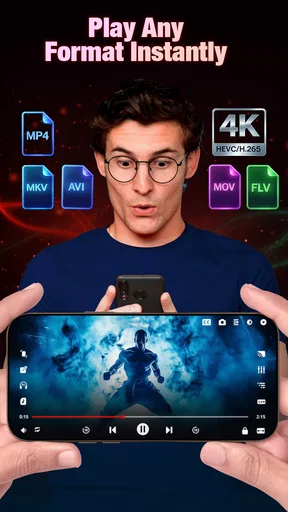
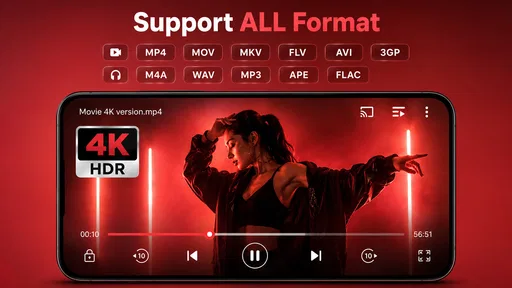
One of the first things you'll notice is the app’s ability to play virtually any video format you throw at it. From MP4, AVI to MKV, and more, it feels like there’s nothing this player can’t handle. This is especially handy if you have a diverse collection of videos. No more worrying about converting files just to get them to play. It’s like having a universal remote, but for your videos!
Immersive Watching Experience
Now, let’s talk about the viewing experience. The app supports high-definition playback that’s as crisp as it gets. Whether you’re watching the latest blockbuster or a homemade video, the quality doesn’t disappoint. The sound quality is equally impressive, providing a cinematic experience right in the palm of your hand. And if you’re into subtitles, the app supports multiple subtitle formats, making it easy to follow along with your favorite foreign films.
For those who love to tinker with settings, you’ll appreciate the extensive control options. Adjust brightness, volume, or playback speed with just a swipe. It’s intuitive and makes you feel in control of your viewing experience. Plus, the app’s ability to play videos in the background means you can multitask like a pro. Watch a video, reply to a text, and browse the web—all at once. It’s like having a mini entertainment hub wherever you go!
Personalization and Customization
Customization is another area where this app shines. You can easily set your favorite videos into playlists, ensuring your go-to content is just a tap away. And if you're the type who likes to keep things organized, the app’s folder view makes it simple to manage and locate your files.
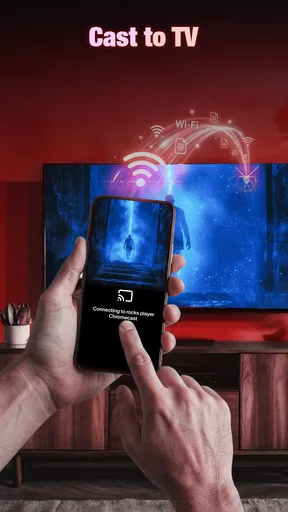
This player also supports Chromecast, allowing you to stream videos on your TV without a hitch. Talk about bringing the big-screen experience to your living room! The app includes a night mode feature, which is perfect for those late-night binge sessions. It’s easy on the eyes and makes watching videos in the dark a comfortable experience.
Security and Reliability
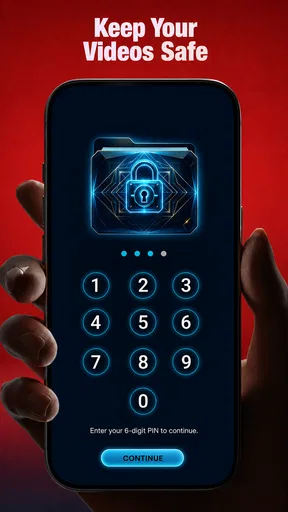
Let’s not forget about security. In an age where privacy is paramount, the app doesn’t disappoint. It offers a secure folder feature where you can keep your private videos safe from prying eyes. Only you decide who gets to see what, adding an extra layer of peace of mind.
Reliability is key in any app, and this one delivers consistently. During my usage, I didn’t encounter any crashes or significant bugs, which is a huge plus. It’s evident that the developers have put a lot of thought into making this app as stable and reliable as possible.
The Final Verdict
So, is the app worth downloading? Absolutely! With its ability to play a wide range of formats, comprehensive features, and user-friendly interface, it’s hard to find a reason not to love this app. Whether you’re a casual viewer or a media mogul, this player has something for everyone.
Don’t just take my word for it. Give it a try and experience the seamless viewing pleasure it offers. Trust me, your video-watching game is about to get a serious upgrade!
Privacy and Permissions
See what permissions an app requests and how it handles your data.
- Photos/Media/Files
- read the contents of your USB storage, modify or delete the contents of your USB storage
- Storage
- read the contents of your USB storage, modify or delete the contents of your USB storage
- Wi-Fi connection information
- view Wi-Fi connections
- Other
- view network connections, send sticky broadcast, connect and disconnect from Wi-Fi, full network access, change your audio settings, run at startup, reorder running apps, draw over other apps, control vibration, prevent device from sleeping, modify system settings
Verdict
Strengths of HD Video Player All Formats
- Supports all video formats effortlessly.
- High-quality playback with no lag.
- User-friendly interface for easy navigation.
- Customizable themes and playback speed.
- Offline playback without interruptions.
Limitations of HD Video Player All Formats
- Contains in-app advertisements.
- No advanced editing features.
- Limited subtitle support for some formats.
- Requires frequent updates for stability.
- Battery consumption is relatively high.
Similar Picks in This Category
View All
Google TV
Google LLC3.9

iTunes
Apple4.7

YouTube
Google LLC3.8

MX Player
Amazon Mobile LLC4.2

CapCut - Video Editor
Bytedance Pte. Ltd.3.5

PLAYit-All in One Video Player
PLAYIT TECHNOLOGY PTE. LTD.4.5
Frequently Asked Questions
What video formats does HD Video Player All Formats support?
HD Video Player All Formats supports a wide range of video formats, including MP4, AVI, MKV, FLV, 3GP, and MOV. This versatility ensures that users can play most of their video files without needing to convert them to another format, making it a convenient choice for diverse media libraries.
Does the app support subtitle integration?
Yes, HD Video Player All Formats supports multiple subtitle formats such as SRT, SSA, and ASS. Users can easily add subtitles to their videos by selecting the appropriate subtitle file from their device. Additionally, the app allows for customization of subtitles, including font size and color adjustments.
Is the app free to use, or does it have any in-app purchases?
HD Video Player All Formats is free to download and use. However, it may offer in-app purchases or ads that can be removed through a premium version. The premium version often provides additional features and an ad-free experience, enhancing overall usability and performance.
Can HD Video Player All Formats play videos in 4K resolution?
Yes, the app is capable of playing videos in 4K resolution, provided your device supports it. The app is optimized for high-definition playback, ensuring clear and smooth video quality. Users should ensure their device meets the hardware requirements for 4K playback for the best experience.
Does the app offer any playback customization features?
HD Video Player All Formats offers various playback customization features, including speed control, aspect ratio adjustments, and an equalizer for audio enhancement. These options allow users to tailor their viewing experience to their preferences, making it a flexible choice for different types of media consumption.
